User Roles
A user's access is built from three parts on their user record: Web Portal Access (their level in the web app), App Access (which field apps they can use), and Tags (their function). See How access works for the concept.
Web Portal Access
Controls access to the web app (the admin portal). Choose one — or leave all unselected for someone who only needs a field app.
| Level | Access |
|---|---|
| Admin | Full access to all settings, users, reports, and the driver and harvester apps. |
| Super User | All operational access, no system settings. |
| User | Standard access to orders, logistics and customers. |
| Carrier | An external freight provider, linked to a carrier account (see below). |

App Access
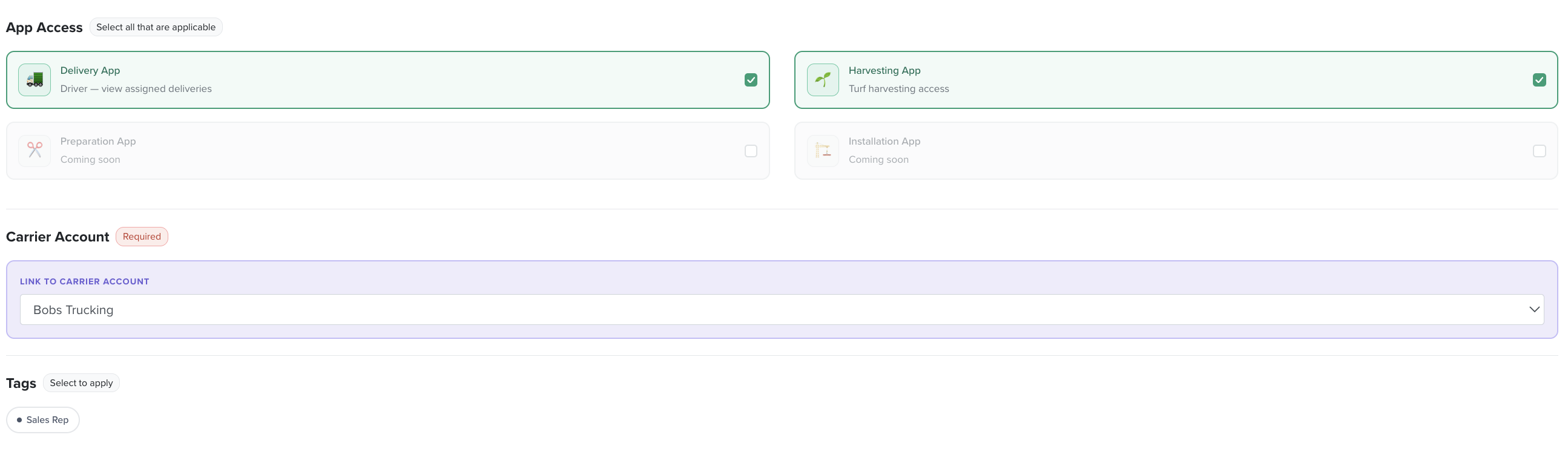
The field apps. Tick any that apply — a user can have more than one.
| App | Access |
|---|---|
| Delivery App | Drivers view their assigned deliveries. |
| Harvesting App | Turf harvesting access. |
| Preparation App | Coming soon. |
| Installation App | Coming soon. |
Carrier Account
When a user is given Carrier web portal access, link them to their carrier account (this is required) — for example Bobs Trucking. That ties the external freight provider to their carrier's drivers, trucks and runs.
Tags
Tags mark a user's function without changing their access level — for example Sales Rep flags a user as a rep. Apply tags in the Tags section of the user record.