Harvesting App
The Harvesting App is the iPad app your harvest and forklift team use to work through the day's cutting — seeing what needs to be cut, by variety, and marking it off as it's harvested and dispatched.
This section covers setting up and logging in, and using the app day to day.
Setting up the app
The harvest team is invited from the Backend Portal once their user has been saved:
- Create or edit the user and, under App Access, tick Harvesting App (this one option covers both harvesters and forklift operators). See Create a user.
- Save the user.
- On the user's edit page, click More and choose Send cutting app invitation.
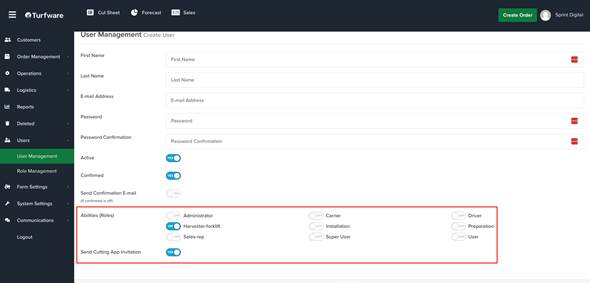
The invitation is emailed to them. It has two things in it:
- an Update Password button, to set the password they'll sign in with, and
- a link to download the app from the App Store.
The Harvesting App runs on iPad only, so open the email on the iPad to install it.
Signing in
Sign in with your email address and password. If you've set a PIN, tap Use pin instead to sign in with your email address and PIN. Harvesting App users, administrators and super users can sign in.
Once you're in, the ☰ menu at the top left has Home, Edit Pin (to set or change your PIN) and Logout.