Planner
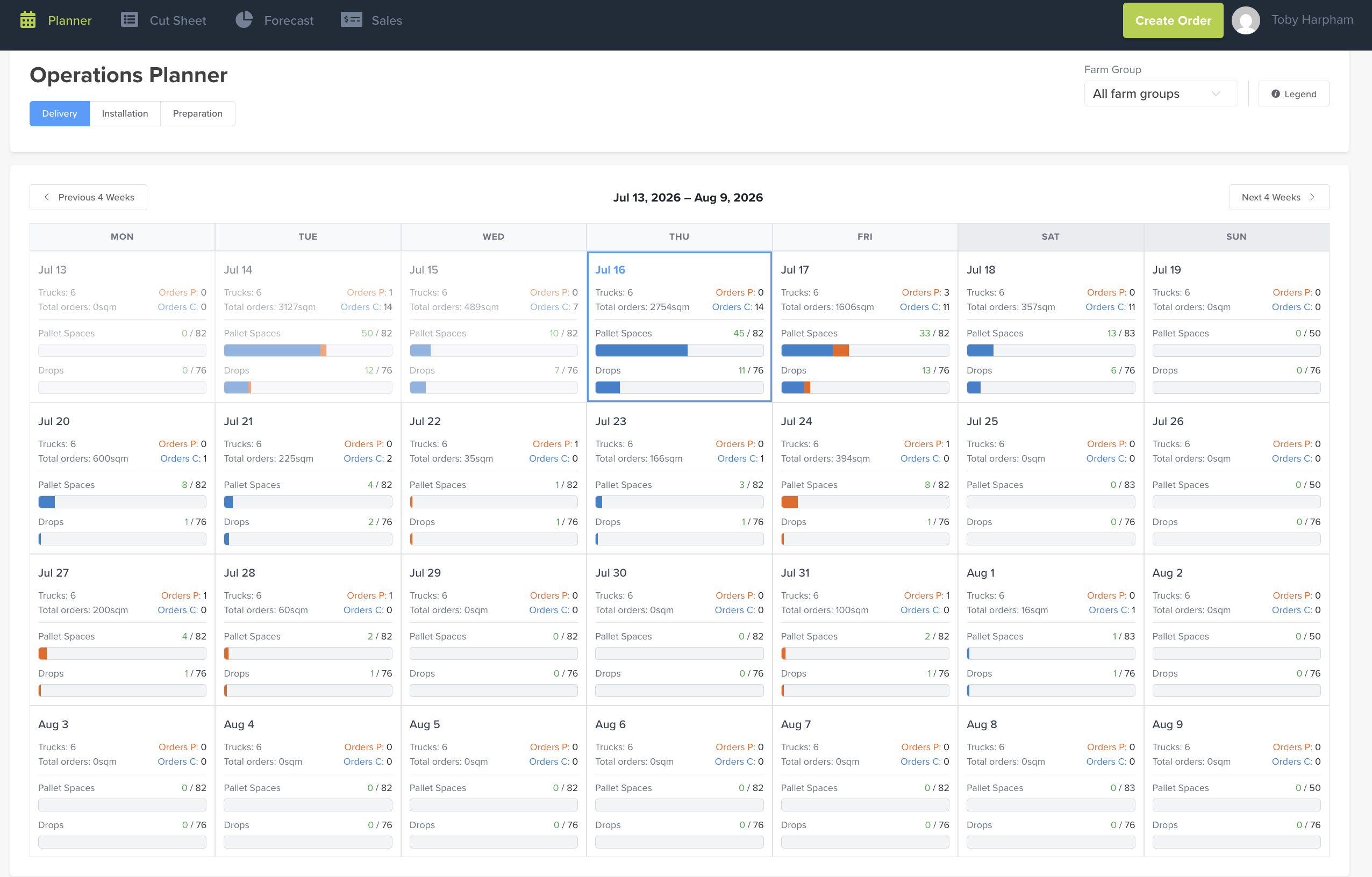
The Planner (headed Operations Planner in the app) is your forward-looking capacity view. Across the next four weeks it shows how full each day is — trucks, pallet spaces and drops — alongside how many orders are pending vs confirmed, so you can plan and manage orders against your real capacity.
Where to find it
Top navigation → Planner.
The 4-week view
Each day tile shows, at a glance:
- Trucks — trucks available that day.
- Total orders — total square metres booked.
- Orders P / Orders C — orders Pending / Confirmed.
- Pallet Spaces — used / capacity (e.g.
45 / 82), with a fill bar. - Drops — used / capacity (e.g.
11 / 76), with a fill bar.
Use Previous 4 Weeks / Next 4 Weeks to move the window; today is highlighted with a blue border. The Legend button (top right) explains the bar colours.
Filter by operation type
Toggle Delivery / Installation / Preparation (top left) to see capacity and orders for each operation stream on its own.
Filter by farm group
Use the Farm Group dropdown (top right) to focus on a single farm group, or leave it on All farm groups.
Why use it
It gives you a forward flow of truck capacity, square metres, and pending vs confirmed orders in one place — so you can balance load across days and manage orders against what you can actually deliver.
Calendar layout — across all of Turfware
Every calendar in Turfware uses a clean Monday–Sunday layout, with weekends lightly greyed so they're easy to pick out at a glance.