How access works
A user's access is set on their user record (Users → User Management → open a user), and it's made up of three independent parts. There are no per-screen access toggles — you set these three things and Turfware handles the rest.
- Web Portal Access — one level that controls whether, and how much, the user can do in the web app: Admin, Super User, User or Carrier. Leave it unselected for someone who only needs a field app.
- App Access — the field apps the user can log in to (Delivery App, Harvesting App; Preparation and Installation apps are coming soon). Tick any that apply.
- Tags — mark a user's function (for example Sales Rep) without changing their access level.
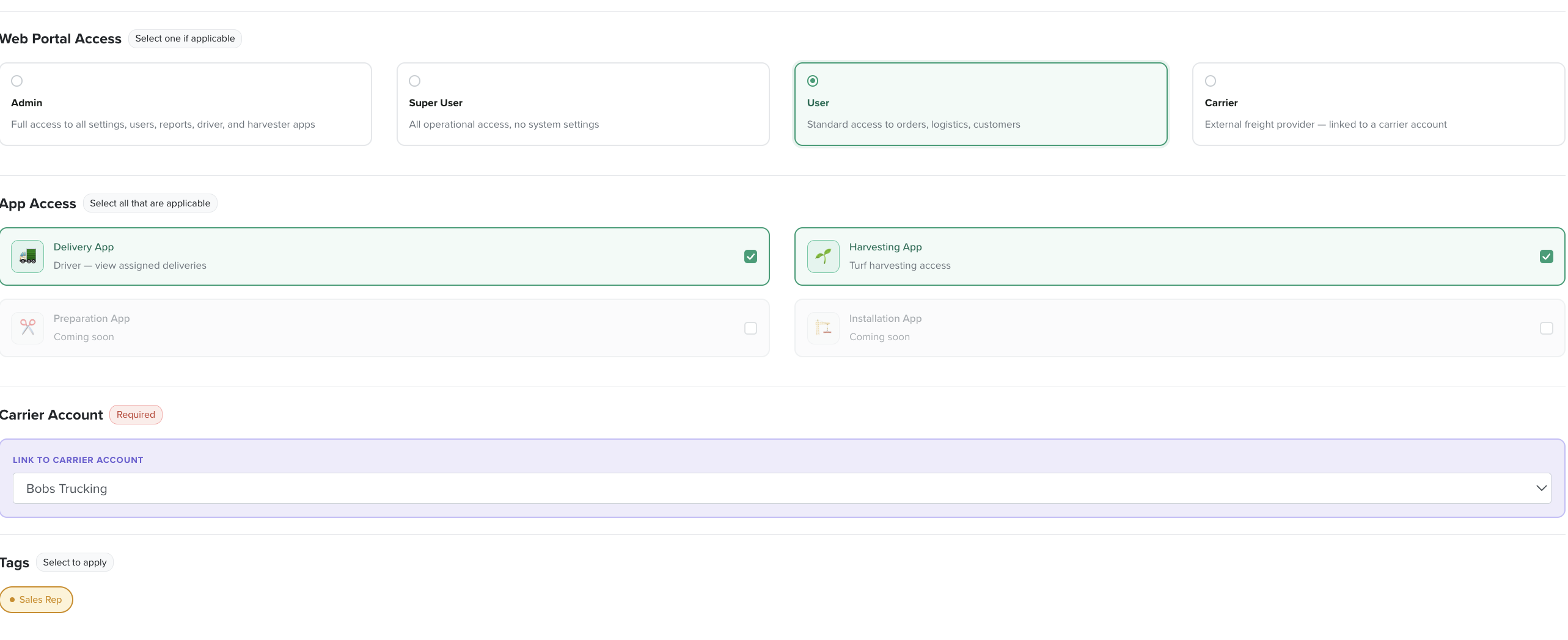
For a Carrier user, a Carrier Account section links them to the carrier account they belong to.
See User Roles for exactly what each Web Portal Access level and app covers.
To change what someone can do, open their user record and adjust these three sections — then Update User.