Segments
Segments are your pricing tiers — for example Wholesale, Resellers, Retail and Trade. A customer's segment sets the default pricing they receive on turf, turf care and installation, so you price consistently by customer type. Every customer is assigned a segment (see Adding a customer).
Where to find it
Left-hand navigation → Farm Settings → Segments. Click Create Segment to add one, or click a row to edit.
What a segment sets
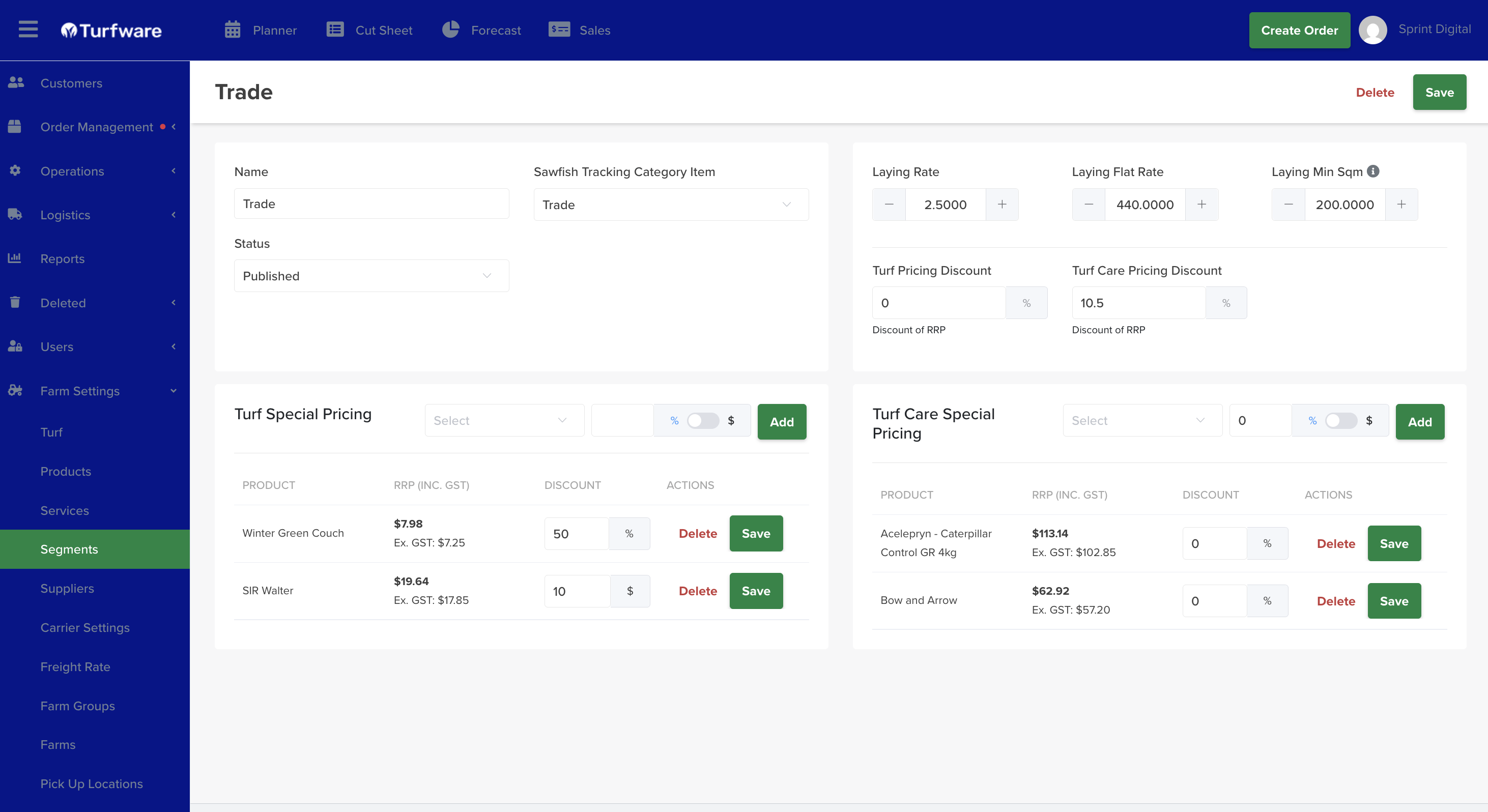
Details
- Name and Status — set Status to Published to make the segment usable.
- Sawfish Tracking Category Item — links the segment to a Sawfish tracking category, so sales by segment report correctly in your accounts.
Turf & turf care pricing
- Turf Pricing Discount and Turf Care Pricing Discount — a blanket discount off RRP for this segment (e.g. Wholesale = 40% off RRP). This is the segment's headline pricing.
Laying (installation) pricing
- Laying Rate, Laying Flat Rate and Laying Min Sqm — the installation rates applied for orders on this segment.
Special pricing — optional overrides
- Turf Special Pricing and Turf Care Special Pricing — override the blanket discount for specific varieties or products. Pick the product, set a discount as a % or $ (toggle), and click Add (e.g. Sir Grange 15%, Winter Green Couch $1).
How it flows
When a customer on this segment is added to an order, these rates pre-fill automatically. A customer-level override still wins — see Special Pricing, which overrides all segment pricing.
Save
Click Save.
Archiving
Retire a segment you no longer use by Archiving it — it's hidden from the list and no longer available to select on new orders, but kept (not deleted). Flip Show Archived on the list to see archived records, and Unarchive to bring one back.