Cutsheets
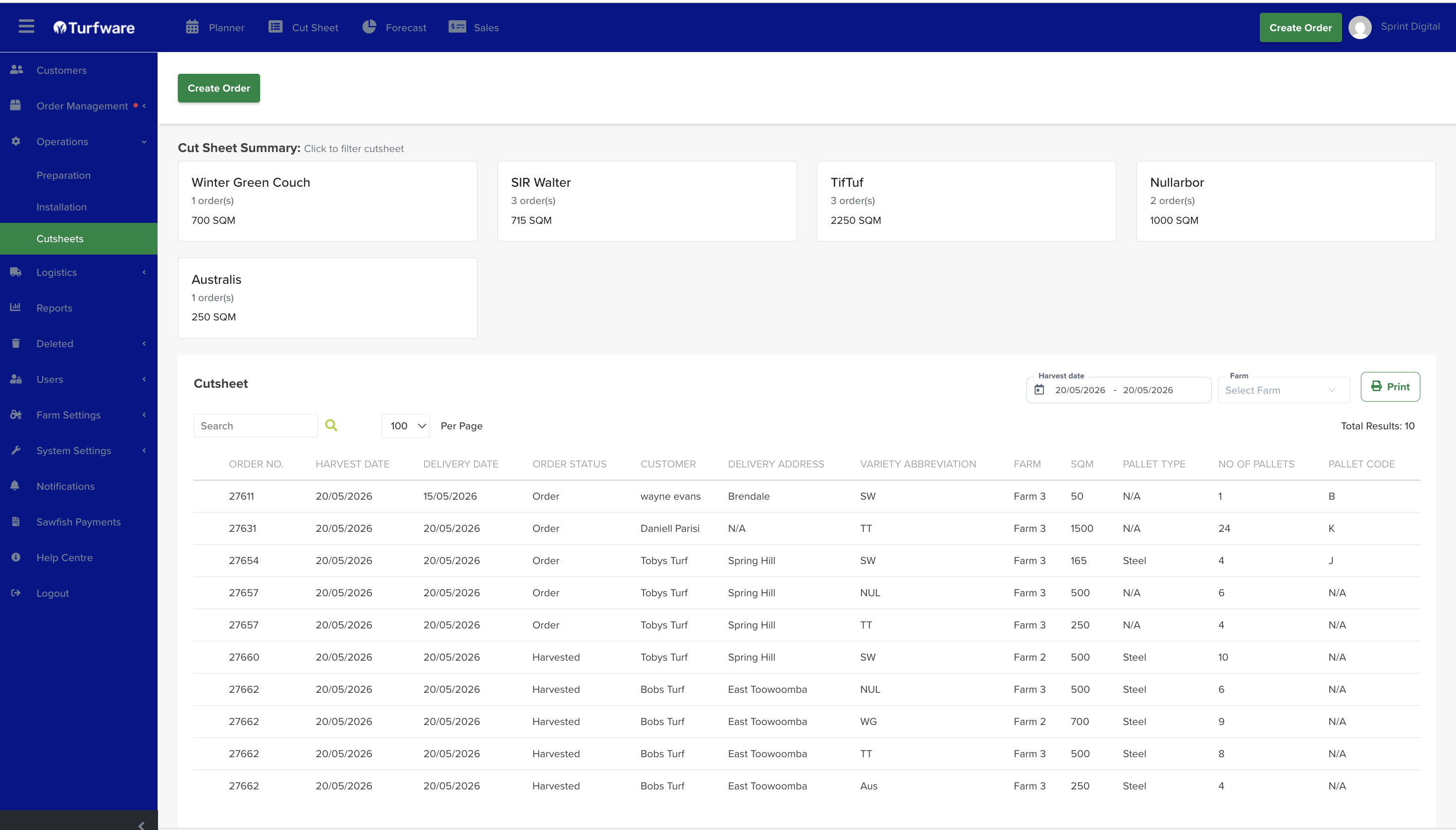
The Cutsheet report is a printable list of what the harvest team needs to cut.
Not the same as the Dashboard Cut Sheet
This is the Operations report. The Dashboard Cut Sheet is the live, on-screen view of harvest progress. Same source, different job.
Where to find it
Left-hand navigation → Operations → Cutsheet.
Cut Sheet Summary
Across the top, a card for each turf variety in the range shows its order count and total SQM. Click a variety card to filter the list below to just that variety.
Filters
- Harvest date — the date (or range) to report on.
- Farm — optionally narrow to a single farm.
- Search — find a row by order number, customer, and so on.
The list
Each row shows the order number, harvest and delivery dates, order status (Order / Harvested), customer, delivery address, turf variety, farm, SQM, pallet type, number of pallets and pallet code.
Actions
- Print — open the report as a PDF to print.