Preparation
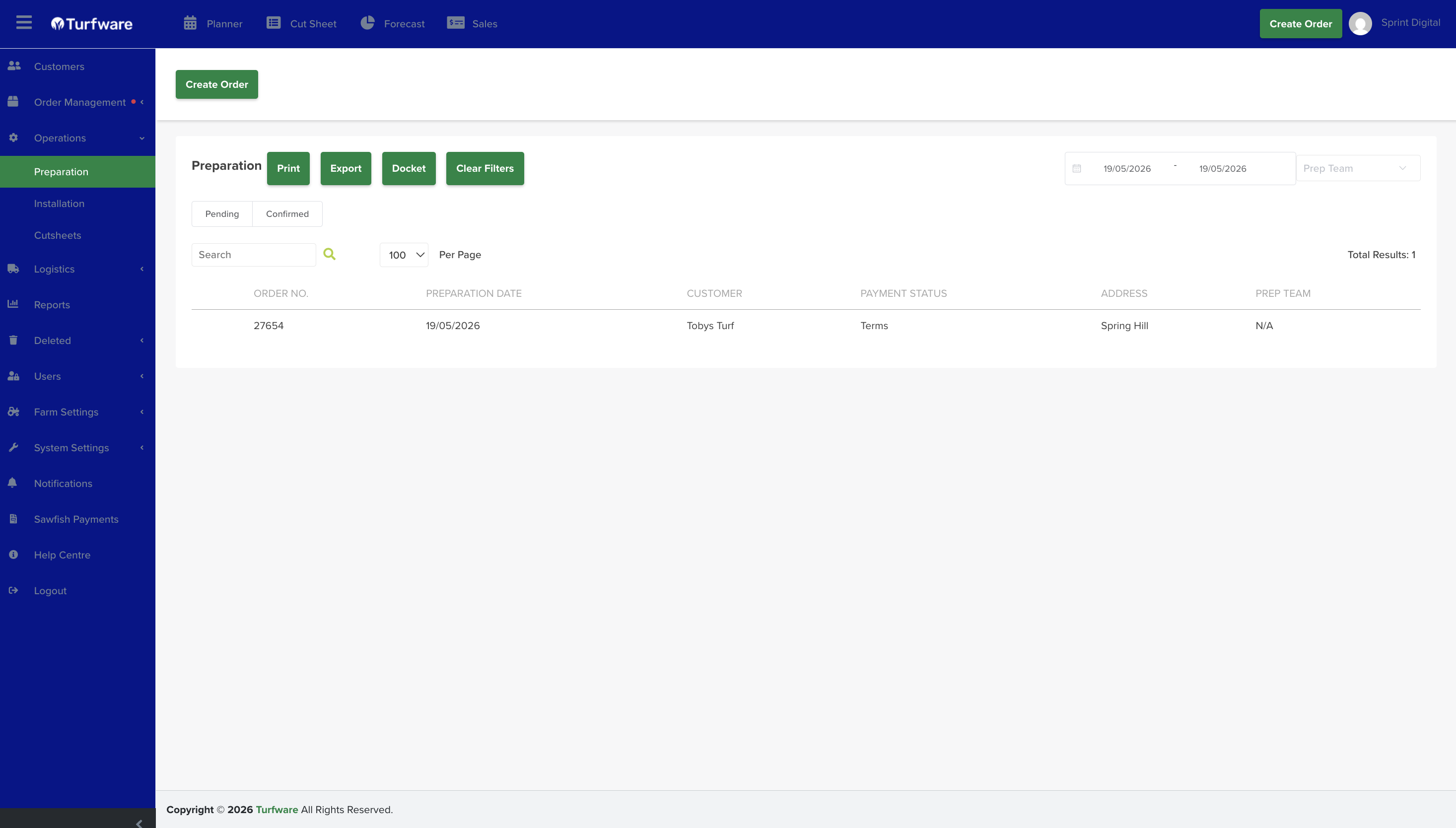
The Preparation report lists the orders that need prep work, ready to print, export or send as a docket.
Where to find it
Left-hand navigation → Operations → Preparation.
Filters
- Date range — the period to report on.
- Order status — the Pending / Confirmed tabs.
- Prep team — optionally filter by the prep team handling the job.
- Search — find a row by order number, customer, and so on.
The list
Each row shows the order number, preparation date, customer, payment status, address and prep team.
Actions
- Print — open the report as a PDF to print.
- Export — download the report as an Excel file.
- Docket — generate a docket for the job.
- Clear Filters — reset all filters to the default view.