Pallet Types
Pallet Types are the pallet options available when harvesting an order (e.g. Steel, Wood). They feed the harvesting pallet type on a turf line and the pallet counts on the Planner and Cut Sheet.
Where to find it
Left-hand navigation → Farm Settings → Pallet Types. Click Create to add one, or click a row to edit.
Setting up a pallet type
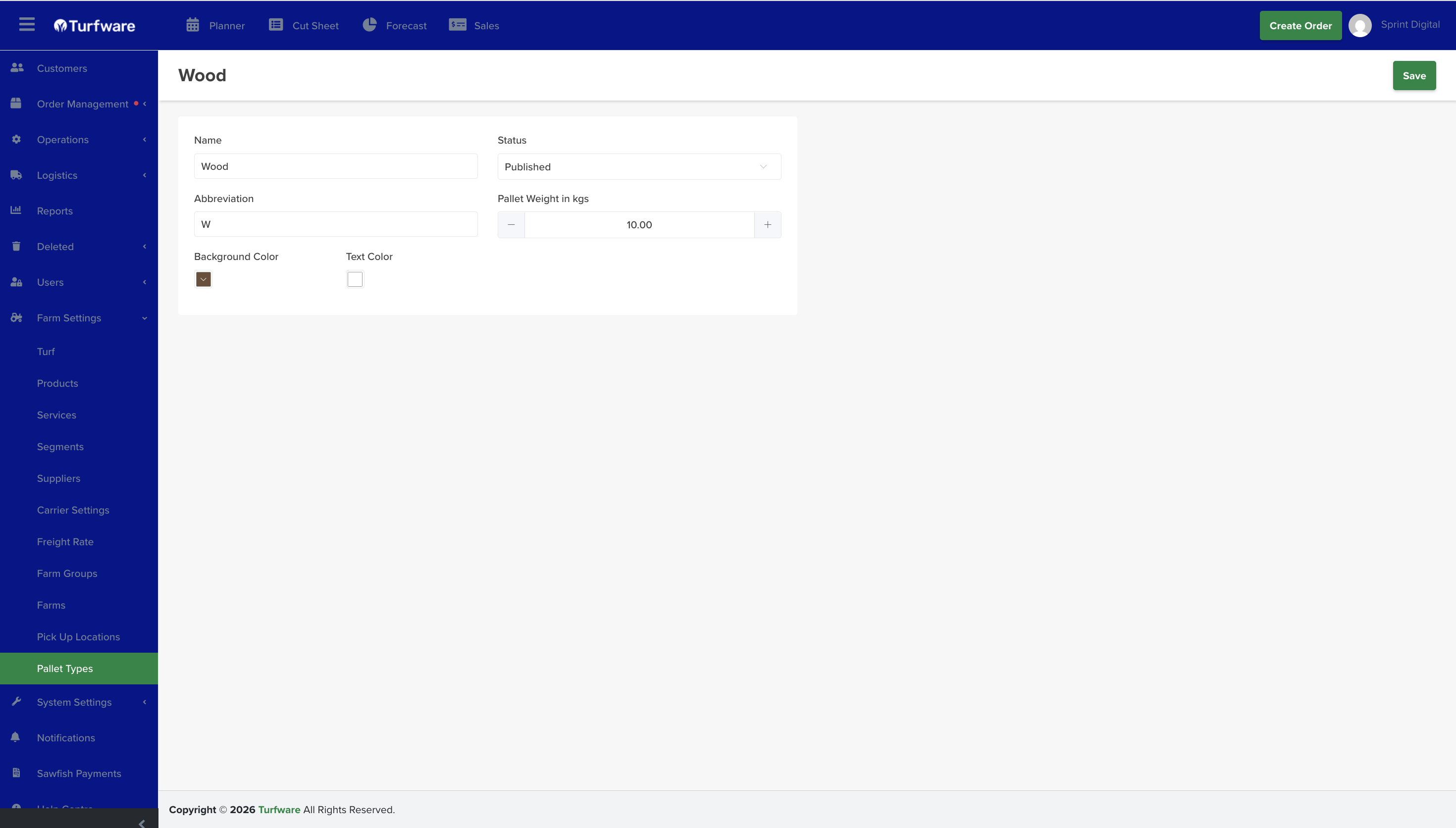
- Name (e.g. Wood) and Abbreviation (e.g. W) — the abbreviation is used in the apps and on cut sheets.
- Pallet Weight in kgs — the pallet's own weight, used in load and weight calculations.
- Status — set Published to use it.
- Background Color / Text Color — the colours the pallet type displays in, so it's easy to spot at a glance.
Archiving
Retire a pallet type you no longer use by Archiving it — it's hidden from the list and no longer available to select on new orders, but kept (not deleted). Flip Show Archived on the list to see archived records, and Unarchive to bring one back.